Dots - ONLINE1.10
Publisher Description
"Great free game...brings back the kid in you!"
"Classic Old-School Fun!"
"I LOVE this App...brought back some great memories for us!"
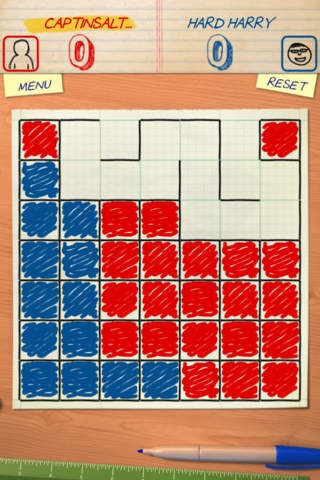
DOTS ONLINE brings classic boardgame action to life with beautiful 3D graphics and realistic play!
Play DOTS with friends online or go against 3 AI skill levels.
3D Graphics
Realistic Sound FX
DOTS Gamecenter Multiplayer Enabled
DOTS Gamecenter Leaderboards
DOTS Gamecenter Achievements
Invite Gamecenter friends for turn based play
30 second timer for Gamecenter games
Auto-Match finds new online friends to challenge
Multiplayer Bluetooth Enabled
Pass and Play mode
Single Player Mode with 3 virtual opponents
Online Note Passing
FUN FACT :
Dots, also known as Boxes, Squares, Paddocks, Pigs in a Pen, Square-it, Dots and Dashes, Dots and Boxes, Smart Dots, Dot Boxing, or, simply, the Dot Game was originally a pencil and paper game for two players (or sometimes, more than two) first published in 1889 by douard Lucas.
RULES :
Starting with an empty grid of dots, players take turns, adding a single horizontal or vertical line between two unjoined adjacent dots. A player who completes the fourth side of a 1 1 box earns one point and takes another turn. The game ends when no more lines can be placed. The winner of Dots is the player with the most boxes ergo points.
If you like DOTS download all our FREE puzzle, slotmachine and boardgames available for iOS
4 in a Row ONLINE
MEGA Tic Tac Toe
Crazy Pirate Slots
Requires iOS 4.0 or later. Compatible with iPhone, iPad, and iPod touch.
About Dots - ONLINE
The company that develops Dots - ONLINE is Outhouse Games LLC. The latest version released by its developer is 1.10.
To install Dots - ONLINE on your iOS device, just click the green Continue To App button above to start the installation process. The app is listed on our website since 2012-05-22 and was downloaded 7 times. We have already checked if the download link is safe, however for your own protection we recommend that you scan the downloaded app with your antivirus. Your antivirus may detect the Dots - ONLINE as malware if the download link is broken.
How to install Dots - ONLINE on your iOS device:
- Click on the Continue To App button on our website. This will redirect you to the App Store.
- Once the Dots - ONLINE is shown in the iTunes listing of your iOS device, you can start its download and installation. Tap on the GET button to the right of the app to start downloading it.
- If you are not logged-in the iOS appstore app, you'll be prompted for your your Apple ID and/or password.
- After Dots - ONLINE is downloaded, you'll see an INSTALL button to the right. Tap on it to start the actual installation of the iOS app.
- Once installation is finished you can tap on the OPEN button to start it. Its icon will also be added to your device home screen.
